Build a professional CV in seconds. Smart AI Layout. Swap templates. Get hired.
Your info saves automatically — tap to select, swap templates instantly, and let Smart AI Layout arrange everything into a clean, balanced page. Export a recruiter-ready PDF straight from your phone and create a tailored CV for every job you apply to.
Works offline · Smart AI Layout · ATS-friendly templates · 10+ languages
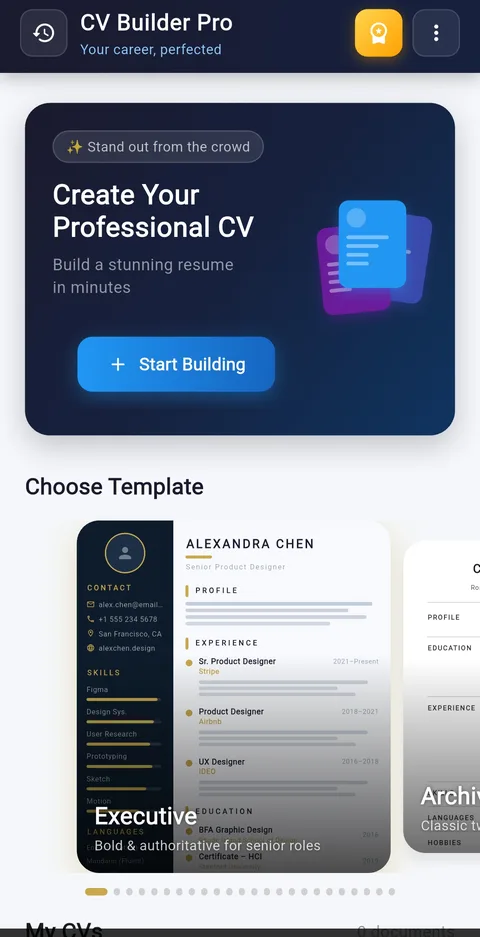
Why your CV format matters
Recruiters form a first impression before reading a single bullet point — layout and structure speak first. A cramped, uneven page gets skipped in seconds.
Most companies filter applications through ATS software before a human ever sees it. Messy formatting, tables and graphics can cost you that first look entirely.
The average job seeker spends longer fighting margins in a word processor than writing about their experience. CV Builder Pro hands the formatting to AI so you don't have to.
Enter your info once. Use it everywhere.
CV Builder Pro saves your personal profiles, work history, skills, certifications and references into reusable containers. When you start a new CV — for a different role, industry or employer — your data is already there. Just pick what you need, swap the template, and export.
Running multiple applications in parallel? The app keeps up to 30 separate CVs, each with its own template, layout and content selection. Send different versions to different employers and track which one lands you the most callbacks.
5 saved personal profiles
Store different contact details, headlines and photos — slot the right one into each CV in one tap.
12 experience entries saved
Add all your roles once. Choose which 8 appear on any given CV — tailor your work history without retyping a word.
Education, skills & certifications
Up to 12 education entries, 15 skills, 10 certifications, 6 languages and 6 hobbies — saved and reselectable per CV.
30 CVs, each independently configured
Each CV remembers its own template, profile, content and customizations. Switch between them in one tap.
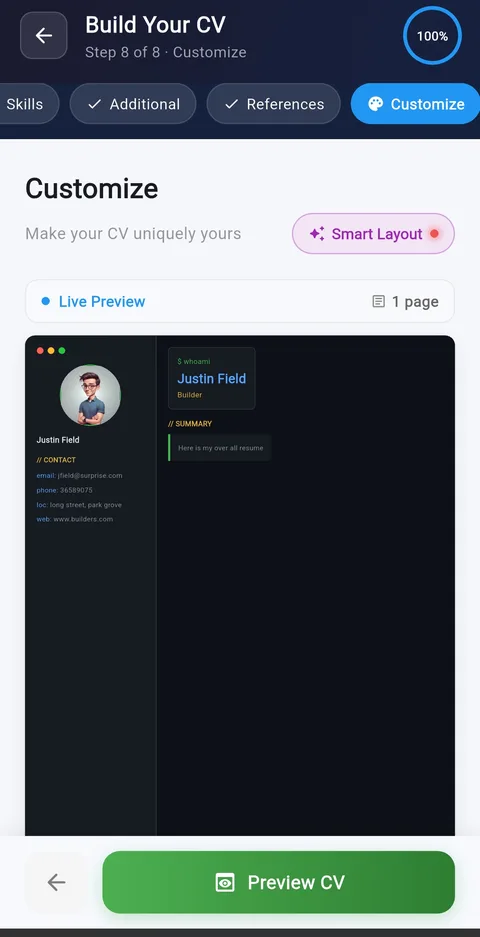
The page balances itself. No design degree required.
Add three roles or ten — Smart AI Layout reads how much content you have and reshapes spacing, section sizing and text density automatically, so your CV never looks stretched thin or crammed onto the page. One tap and the whole document re-balances itself in real time.
- Auto-fit spacing — short CVs are filled out cleanly, long CVs are compressed without shrinking to unreadable text.
- Section-aware sizing — the AI gives more room to the sections you've filled out and quietly shrinks empty ones.
- One-tap rebalance — hit Smart Layout any time after editing and the page resets to a polished, print-ready proportion instantly.
- Live preview — see every adjustment happen on-screen before you export, so there are no surprises in the PDF.
From blank to finished CV in a few taps
CV Builder Pro turns a CV into a short, tappable checklist. Every section is ready to fill, every layout decision is handled by Smart AI Layout — nothing to design from scratch.
-
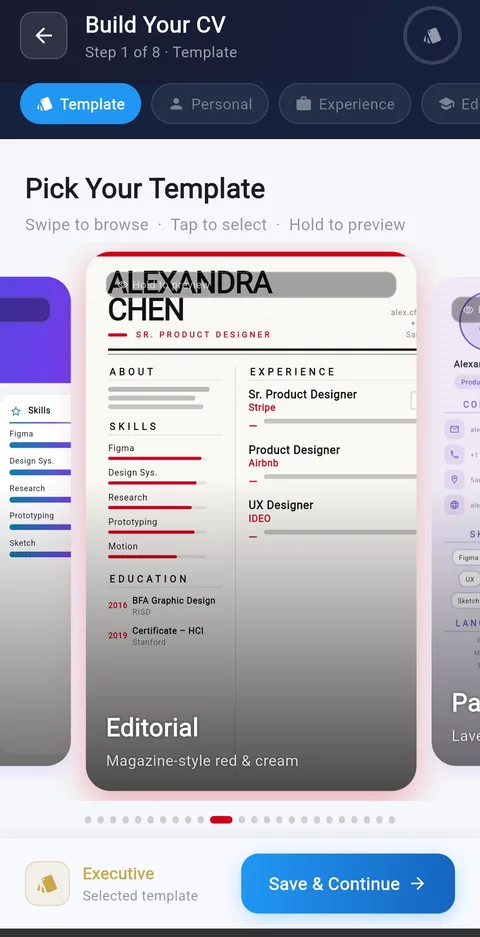 Step 01 · Template
Pick your template
Swipe through a library of professional designs — bold executive, minimal modern, tech dark, vibrant creative and more. Hold any card to preview it full-screen before committing. Every template is pre-built with ATS-safe structure, so the choice is purely about look and feel, not risk.
-
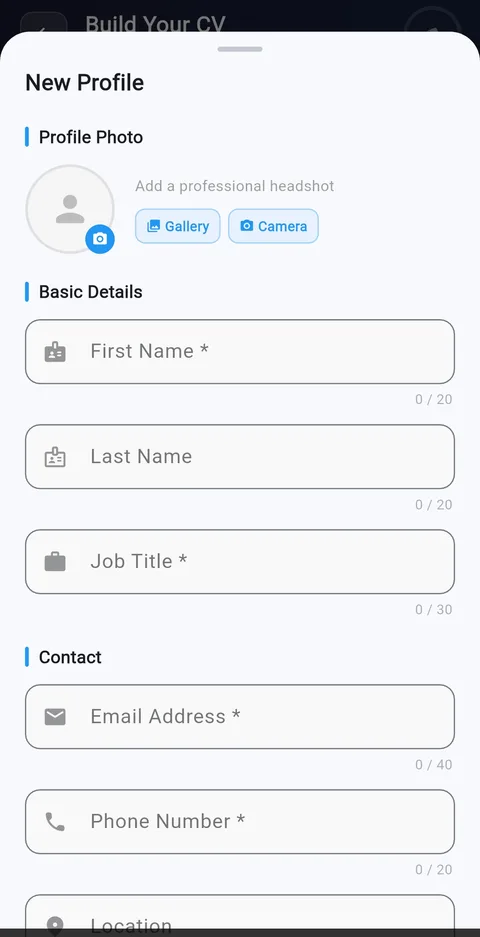 Step 02 · Profile
Add your personal profile
Enter your name, headline, contact details and photo once, then save it as one of up to 5 reusable profiles. Keep a buttoned-up version for corporate roles and a more personal one for creative gigs, and drop the right one into each new CV in a tap.
-
Work experience formStep 03 · Experience
Build your work history
Add up to 12 roles with company, dates and bullet-point achievements. Choose which 8 appear on any given CV, so a fifteen-year career still fits cleanly on one page no matter which job you're applying for.
-
Education formStep 04 · Education
Add your qualifications
List degrees, diplomas, certificates and courses with a clean structured form — institution, dates, and optional key points. Save up to 12 education entries and select which show on each CV, useful when applying for roles with different academic requirements.
-
Skills formStep 05 · Skills
Highlight your key abilities
Add up to 15 skills with a proficiency slider from Beginner to Expert. Mix hard and soft skills, reorder to lead with your strongest, and reuse the same skill bank across every CV you create. Recruiters scan this section first after experience — make it count.
-
Certifications · Languages · HobbiesStep 06 · Additional
Certifications, languages & interests
Round out your CV with up to 10 certifications, 6 spoken languages and 6 hobbies, each in its own clearly organized card. These sections can quietly tip the decision in competitive or international job markets, where multilingual ability sets you apart from an otherwise identical applicant pool.
-
References formStep 07 · References
Add personal references
Save up to 10 referees, name, job title, company, email and phone, and select up to 4 per CV. Keep your master list updated once and pull the right names for each application, instead of hunting through old emails every time a recruiter asks.
-
Step 08 · Customize & Export
Make it yours, then export
Fine-tune colour scheme, font family and text size with a live preview. Tap Smart AI Layout and watch spacing auto-adjust to fill the page cleanly — no manual dragging, no guessing at margins. Hit Preview CV, then save as a print-ready PDF or share directly to email, WhatsApp, LinkedIn or any job board.
Every CV you've built, all in one place.
The home screen tracks every CV by name, template and completion percentage, so you always know exactly where each application stands. Filter by All, Draft or Complete, and jump straight back into editing with one tap. Build up to 30 CVs and keep your whole job search organized in a single list.
Tap into any CV to see its full summary, steps completed, template style and a live preview, then hit Edit CV to keep refining it or export it the moment it's ready.
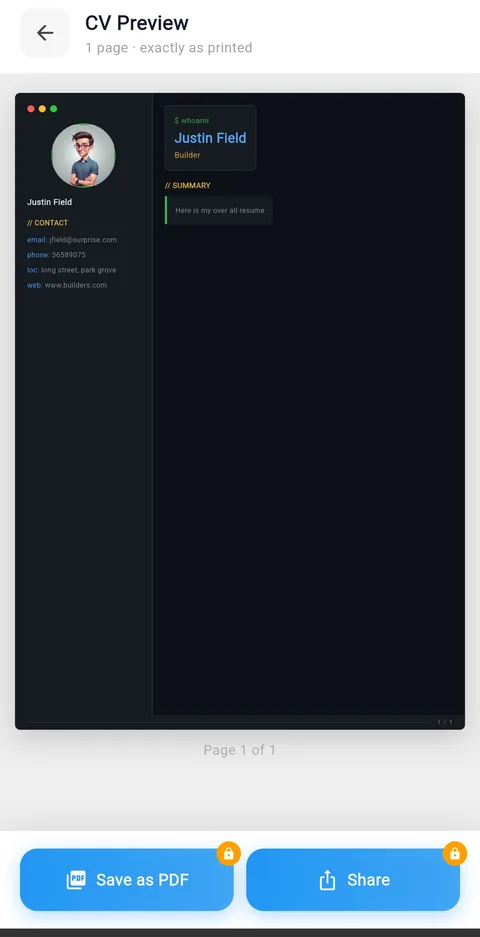
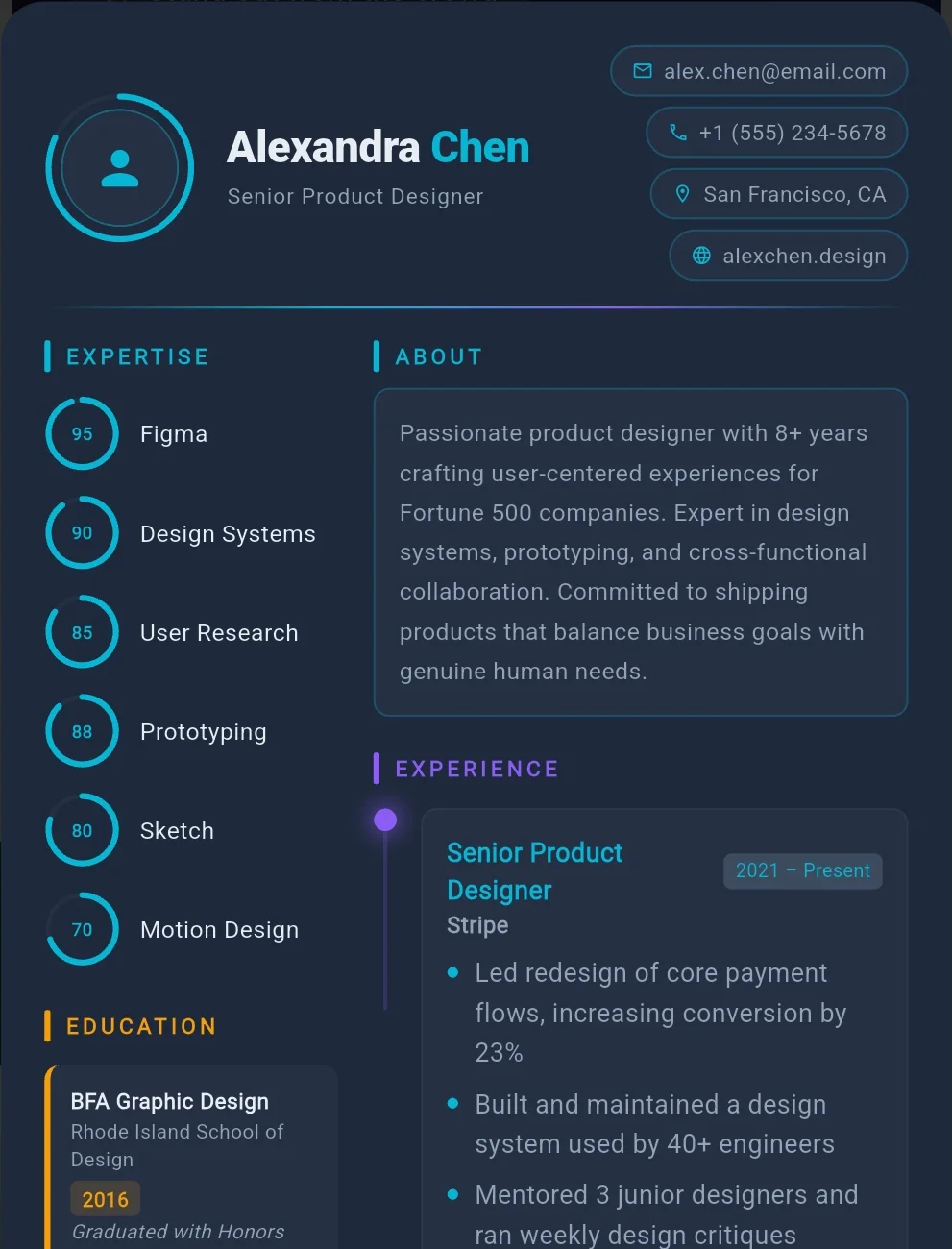
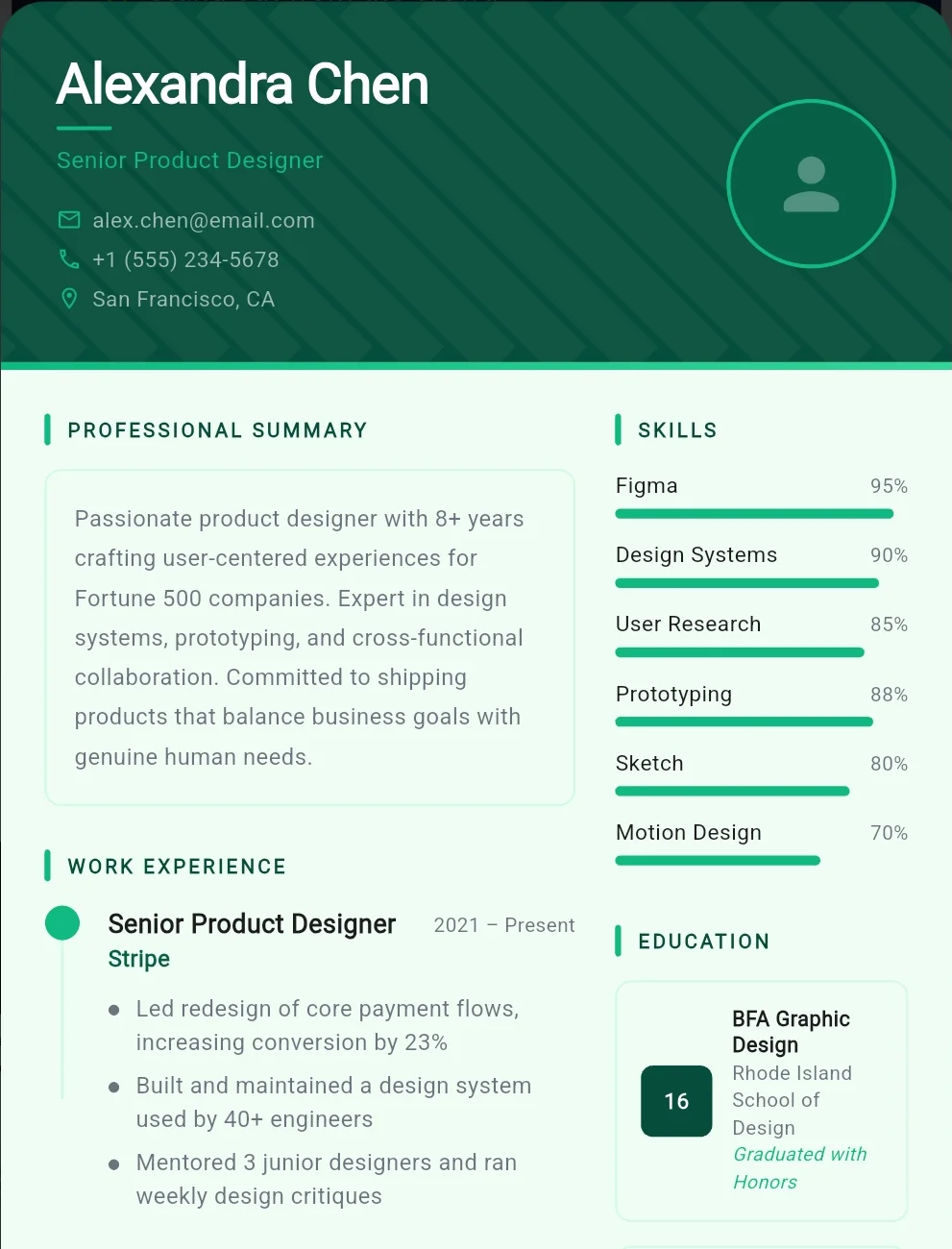
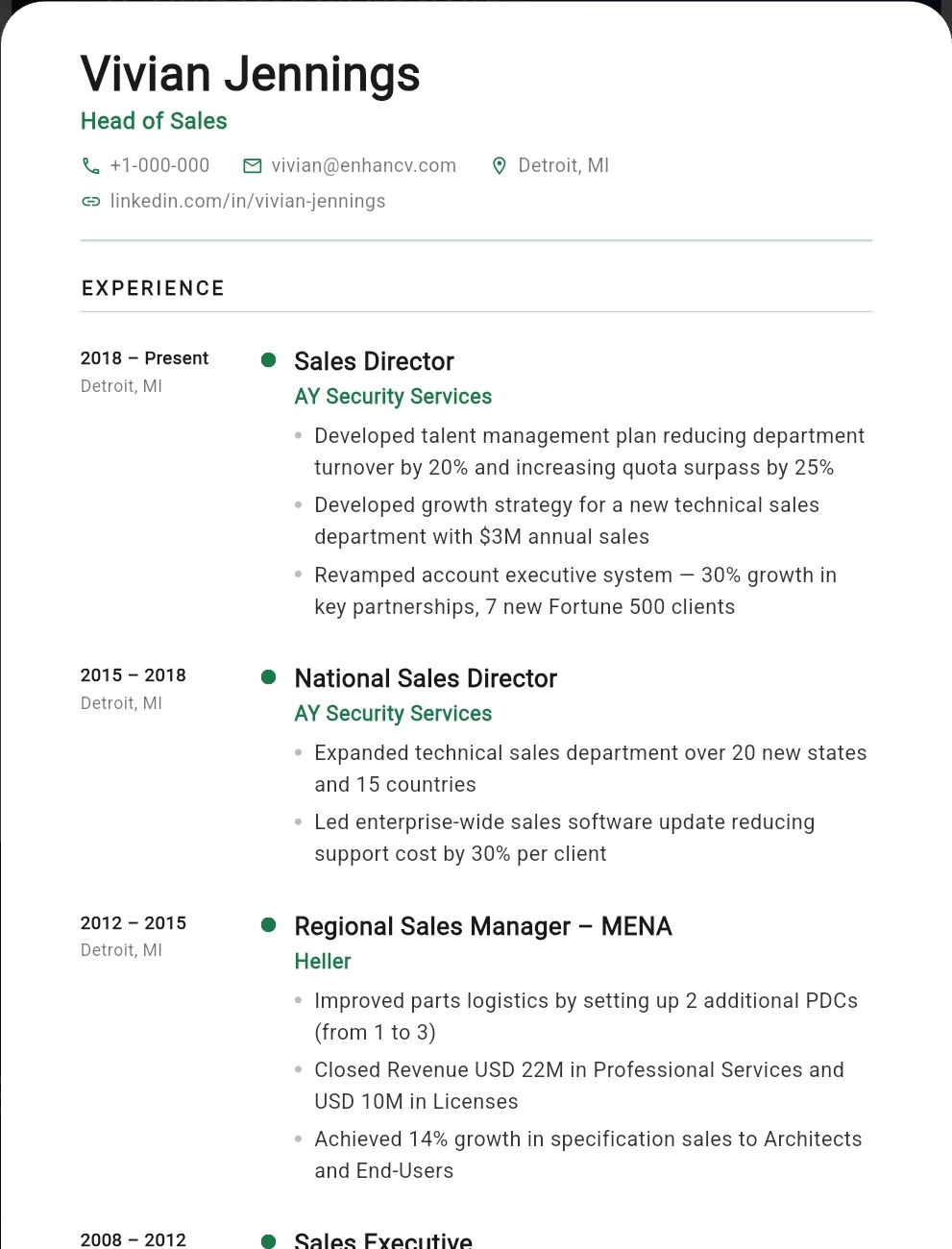
A style for every résumé and every reader
Every template shares the same clean information structure and the same Smart AI Layout engine — only the personality changes. All are ATS-compatible.
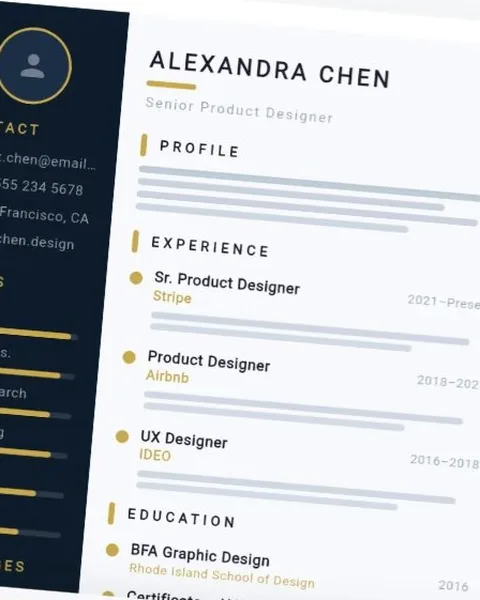
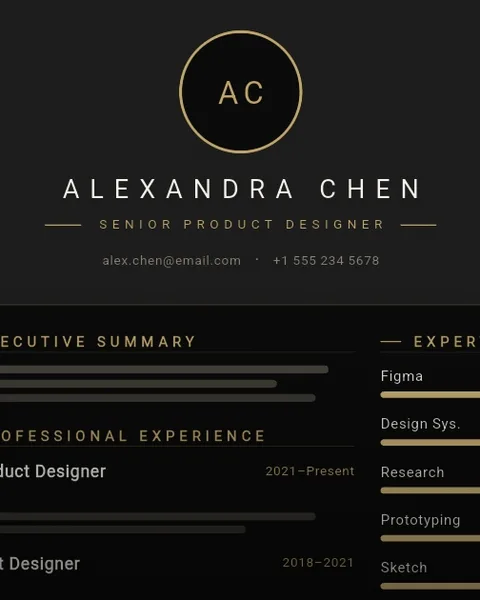
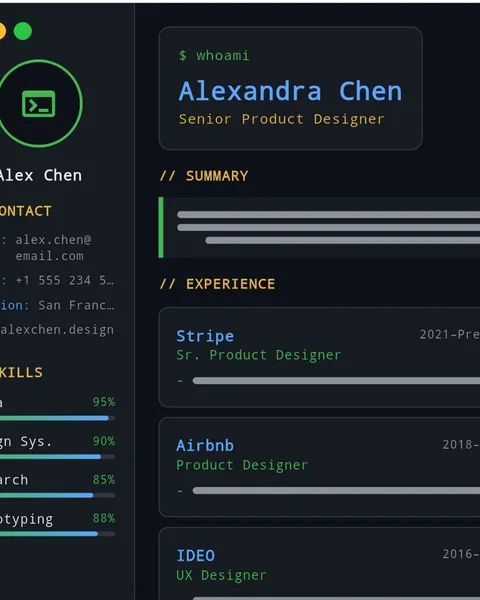
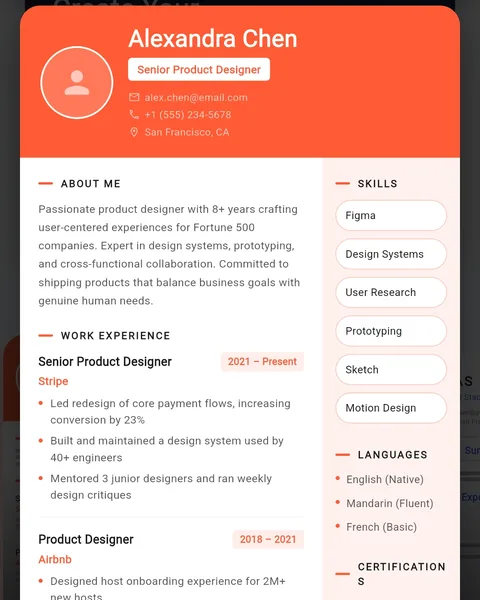
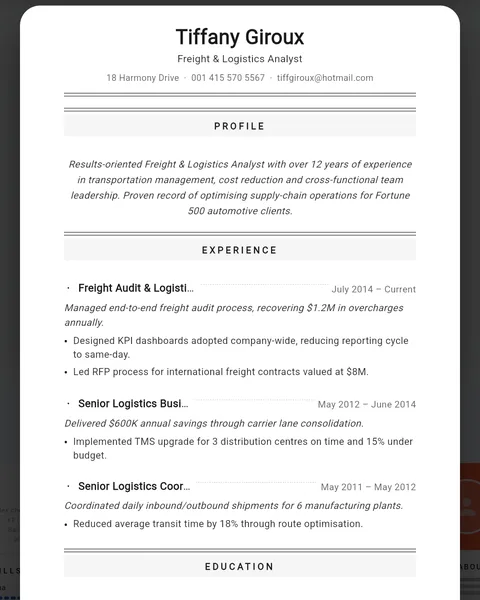
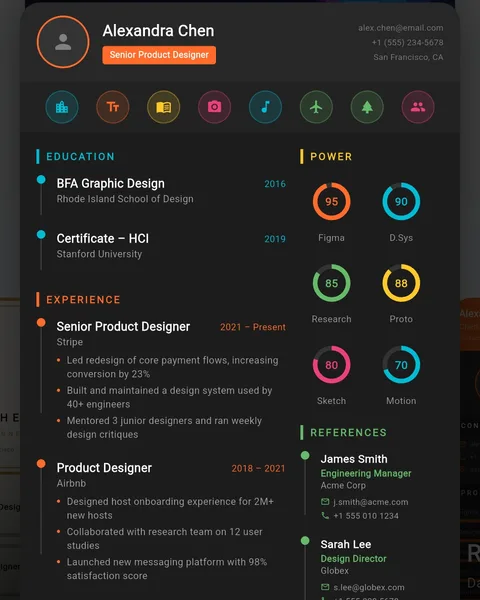
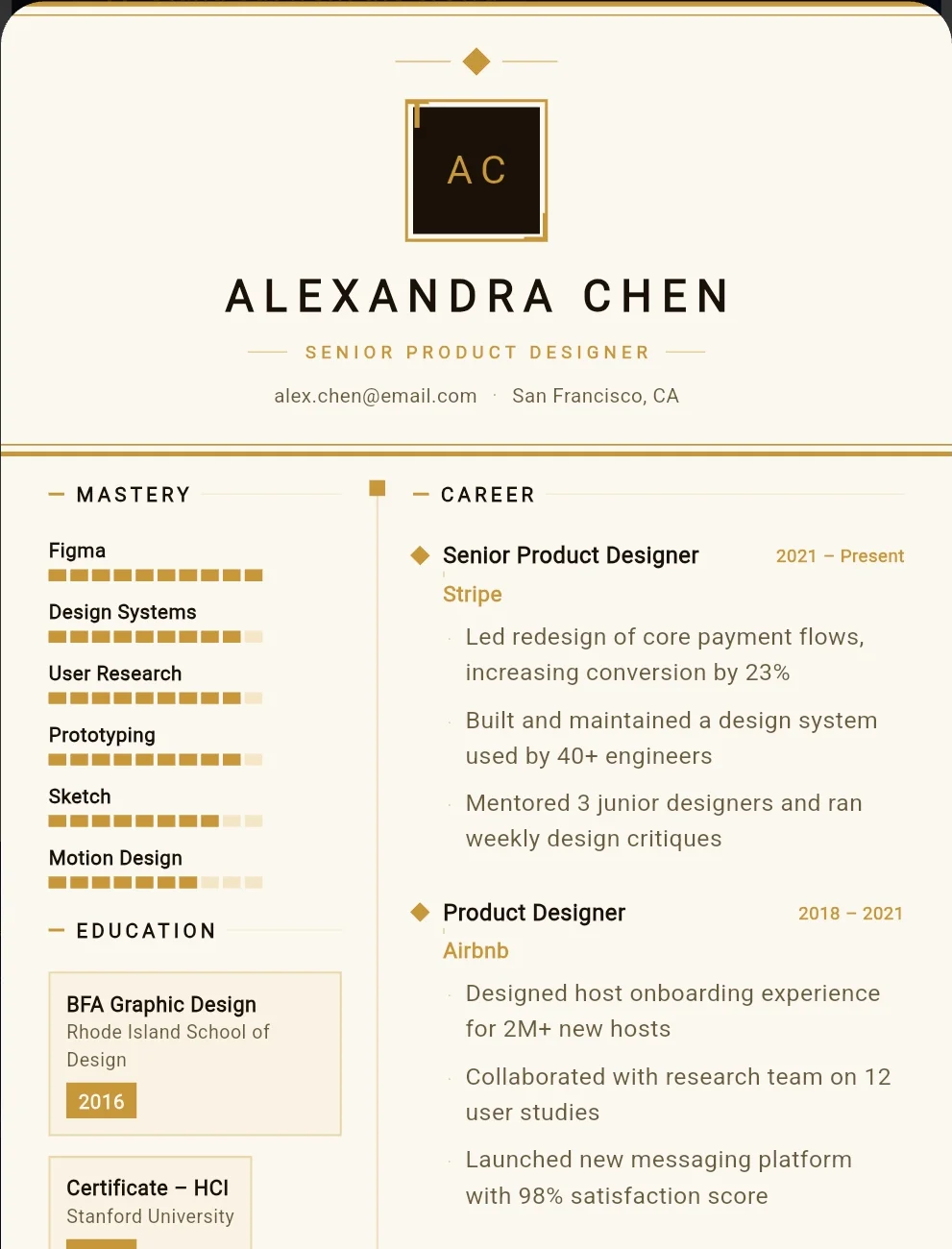
Everything a job-ready CV needs, nothing it doesn't
Built-in structure
Profile, experience, education, skills, certifications, references — every section is already in the right place. Just fill in the blanks.
Smart AI Layout
The AI engine reads your content and rebalances spacing, sizing and density automatically, so every CV looks intentionally designed — never stretched or crammed.
Seconds, not hours
Saved data pre-fills every new CV. Swap a template, select content, export — the whole process takes seconds once your library is set up.
30 CVs, one app
Create and store up to 30 separate CVs — each with its own template, profile and content. Track which format lands more interviews.
Your colours & fonts
Adjust colour scheme, font family and text size with a live preview. Smart AI Layout auto-fills whitespace for a polished, balanced page every time.
10+ languages
Full UI support for Japanese, Korean, Italian, Hebrew, Norwegian, Urdu, Brazilian Portuguese, Malay, Indonesian and more.
Export & share anywhere
Save a print-ready PDF or share straight to email, WhatsApp, LinkedIn, Seek, Indeed or any messaging app — one tap.
ATS-friendly layouts
Every template uses clean structured headings and standard sections that pass through applicant tracking systems without breaking formatting.
Works offline
Build, edit and preview your CV with no internet connection. Your data stays on your device and exports are available anytime.
Whatever the job, there's a layout that fits
From corporate ladders to skilled trades, the template library covers how different industries actually read a résumé — and Smart AI Layout adapts each one to your content automatically.
- Tech & Product Design
- Construction & Trades
- Logistics & Supply Chain
- Sales & Business Dev
- Healthcare & Care Work
- Education & Training
- Hospitality & Retail
- Finance & Admin
- Creative & Media
- Engineering
Speaks 35 languages, fluently
Switch the entire app interface to your language of choice — every label, button and section translates, not just the menu.
- English
- Spanish
- Mexican Spanish
- French
- German
- Italian
- Portuguese
- Brazilian Portuguese
- Dutch
- Polish
- Czech
- Hungarian
- Romanian
- Greek
- Russian
- Ukrainian
- Swedish
- Norwegian
- Finnish
- Turkish
- Arabic
- Hebrew
- Persian
- Urdu
- Hindi
- Bengali
- Thai
- Vietnamese
- Indonesian
- Malay
- Filipino
- Chinese
- Japanese
- Korean
- Swahili
Frequently asked questions
Can I save my info and reuse it across different CVs?
Yes — that's the whole point. The app stores your personal profiles, work history, education, skills, certifications and references in a reusable library. When you start a new CV, your data is already there. Select what you need, pick a template, and export.
Can I create multiple CVs for different jobs?
Absolutely. You can store up to 30 separate CVs, each with its own template, layout, profile and content selection. Tailor your application to every role without starting from scratch each time.
What does Smart AI Layout actually do?
It reads how much content is in each section and automatically rebalances spacing, sizing and density so the page fills cleanly — whether you've written three bullet points or thirty. Tap it any time after editing to re-balance the whole document in one go.
Will my CV pass through ATS screening software?
Every template uses clean structured layouts with clear headings and standard sections designed to stay readable for both applicant tracking systems and human recruiters.
Can I use it for any industry or job type?
Yes. The template library spans creative, corporate, trades, logistics, healthcare and more — pick a style that fits the role you're applying for.
Does CV Builder Pro work in my language?
CV Builder Pro supports 10+ languages, including Japanese, Korean, Italian, Hebrew, Norwegian, Urdu, Brazilian Portuguese, Malay and Indonesian.
Can I change the fonts, colours and layout?
Yes. The Customize step lets you adjust colour scheme, font family and text size with a live preview. The Smart AI Layout button automatically balances spacing on the page.
How do I download or share my finished CV?
Export your CV as a print-ready PDF or share it directly from your phone to email, WhatsApp, LinkedIn or your preferred job site — all in one tap.
Your next job starts with a CV that gets finished.
Fill in your details once, let Smart AI Layout handle the page, and send a tailored CV to every job you apply for.
GET IT ON Google PlayWorks offline · Smart AI Layout · 10+ languages · ATS-friendly templates